






Blogs
Explore insights, tips, and industry trends

Case studies
See how organizations achieve real results

eBooks and reports
Access in-depth research and expert analysis

Research
Discover original research and data-driven insights

Webinars
Join live and on-demand sessions with experts

Whitepapers
Access research and expert analysis

Academy
Build skills with structured courses and training

Certified trainers
Get expert training from certified professionals

International partners
Connect with trusted partners around the world

Knowledge center
Find guides, tutorials, and product documentation




Best AI tools for academic research in 2026
By Roehl Sybing, PhD, Research Associate, University of North Dakota
Edited by Abigail Jacobsen, Senior Content Marketing Manager, Lumivero
Key takeaways
The best AI tools for academic research in 2026 fall into six jobs: literature discovery (Citavi, Elicit, Consensus, Semantic Scholar, Google Scholar), literature mapping (ResearchRabbit, Connected Papers, Litmaps), paper understanding (SciSpace, Gemini Notebook, Claude), citation analysis (Scite, Web of Science Research Assistant), academic writing (Paperpal, Jenni AI, Writefull), and specialized qualitative analysis software (NVivo AI Cloud, NVivo Desktop, ATLAS.ti), and reference-management software (Citavi).
General-purpose assistants like ChatGPT and Claude are strong for drafting and summarizing, but they can fabricate citations, so every source still needs independent verification. Research-purpose tools like Elicit and Consensus cite peer-reviewed evidence directly, which is why they show up first in most AI-generated research overviews. For rigorous qualitative and mixed-methods analysis, purpose-built software such as NVivo AI Cloud, NVivo Desktop, and ATLAS.ti provides the coding transparency and audit trails that dissertation- and publication-grade academic work requires. Most researchers combine three to five tools across a single project rather than relying on one to do everything.
How are AI tools transforming academic research?
AI now touches nearly every stage of the research process, and the shift follows a fairly consistent arc: discovery gets faster, synthesis gets easier, analysis gets more structured, and writing gets less painful. Tools built for academic work can search and summarize enormous bodies of literature in seconds, extract structured data from dozens of papers at once, map how a field's ideas connect and evolve, draft and revise prose in an academic register, and keep citations organized from the first search through the final bibliography. A decade ago, most of that work was manual, slow, and largely invisible to anyone outside the research team; now a meaningful share of it can be delegated to software, freeing up time for the interpretive work that still requires a human researcher.
The tradeoff that runs underneath all four stages, though, is the same one: speed versus verification. The faster a tool moves you through discovery or drafting, the more deliberately you have to check what it hands back—because AI research tools speed up how researchers find, understand, and use information, they don't uniformly improve the accuracy of what they produce.
In our evaluation, AI tools genuinely accelerate the early, high-volume work—finding relevant papers, getting the gist of a dense methods section, organizing a reading list—but they introduce real risk further downstream, particularly hallucinated citations and shallow synthesis that reads smoothly without actually holding up to scrutiny. The tools that name that limitation openly, rather than papering over it, are generally the ones worth building a workflow around.
How we evaluated these tools
Every tool in this guide was assessed against the same six criteria, so the comparisons below are consistent rather than cherry-picked:
- Source transparency—does the tool cite peer-reviewed evidence directly, or generate ungrounded text that sounds authoritative without a traceable source?
- Citation quality and verification burden—how much manual fact-checking does the output require before you could cite it?
- Research function—is the tool built for discovery, mapping, comprehension, analysis, or writing? (Very few do more than one well.)
- Workflow fit—does it integrate with Zotero, PDF readers, or other reference managers, and does it support collaboration and clean export?
- Pricing and free access—is there a genuinely usable free tier?
- Academic rigor—is the tool actually suitable for dissertation-grade or peer-review-ready work, or is it better suited to quick, low-stakes lookups?
Pricing, usage limits, paper counts, and model capabilities were reviewed against vendor information and independent reviews available in August 2026. These details change frequently—several shifted even during the drafting of this piece—so confirm current terms directly with the provider before purchasing, budgeting, or citing a figure elsewhere.
What are the best AI tools for academic research in 2026?
There is no single "best" AI tool for academic research in 2026—the strongest results come from matching the right tool to the right job at the right stage of a project. The table below compares 21 tools at a glance, including the honest limitation of each one; the sections that follow group them by what they actually do well, from finding papers to writing the final draft.
| Tool | Best for | Key strength | Main limitation | Free tier? | Cites sources? |
|---|---|---|---|---|---|
| NVivo AI Cloud | Rigorous, AI-powered qualitative & mixed-methods coding | AURA (NVivo AI Cloud's AI research assistant) identifies topics with evidence and auto-codes under human approval, with a full exportable audit trail | Web-only workflow | No | Yes (internally) |
| NVivo Desktop | Rigorous qualitative & mixed-methods coding | Manual coding, queries, memos, and a full audit trail | Desktop-first workflow | Yes (free trial) | Yes (internally) |
| ATLAS.ti | Multimedia & collaborative qualitative coding | Integration with LLMs via MCP, AI-assisted coding, memoing, and network visualization across text, audio, video, and image data | Limited statistical analysis of code frequencies | Yes (free trial) | Yes |
| Citavi | Reference management & knowledge organization | AI-assisted literature discovery and task planning combined with citation management in one workflow | Some loss of detail when importing from or exporting to Mendeley, Zotero, etc. | Yes (free trial) | Yes |
| Elicit | Literature discovery & systematic review screening | Searches 138M+ papers; extracts findings into structured tables | Search isn't a saved, reproducible strategy; thinner for theory/humanities | Yes | Yes |
| Consensus | Evidence-based yes/no questions | Consensus Meter visualizes agreement across 200M+ papers | Leans biomedical/health; not a writing tool | Yes | Yes |
| Semantic Scholar | Free, broad discovery | 200M+ papers, AI TLDR summaries, open API, no account needed | Discovery only—no synthesis or writing | Yes (full tool) | Yes |
| Google Scholar | Widest catch-all search | Broadest coverage incl. grey literature; citation tracking | No AI synthesis, no quality filtering | Yes | Links only |
| ResearchRabbit | Citation-network discovery | Visual graphs across 310M+ articles; Zotero sync | Free tier caps seeds at 50; discovery/mapping only | Yes (capped) | Yes |
| Connected Papers | One-click visual similarity maps | Generates a graph of related work from one seed paper | Free tier capped at 5 graphs/month | Yes (capped) | Yes |
| Litmaps | Living literature maps with alerts | Monitors new citations over time and notifies you | Free tier capped (2 maps, 100 articles/map) | Yes (capped) | Yes |
| SciSpace | Decoding dense papers | AI Copilot explains jargon inline across a 280M+ paper corpus | Summaries need verification against the source text | Yes | Yes |
| Gemini Notebook (formerly NotebookLM) | Synthesizing your own uploaded sources | Answers grounded in your documents with inline citations; audio/video overviews | Limited to what you upload—no external search | Yes | Your docs only |
| Claude | Reasoning over long documents | 1M-token context window ingests whole papers or bundles at once | Not grounded to a peer-reviewed database—verify citations | Yes | No (unless browsing) |
| Scite | Checking how a paper has been cited | Classifies 1.2B+ citation statements as supporting, contrasting, or mentioning | Paid; niche use | No (7-day trial only) | Yes |
| Web of Science Research Assistant | Authoritative, institutional citation analysis | Built on the curated Web of Science Core Collection | Requires institutional subscription | No | Yes |
| Paperpal | Academic language editing | Subject-aware suggestions + pre-submission journal checks | Editing only—not research or discovery | Yes | N/A |
| Jenni AI | AI-assisted drafting with inline citations | Autocomplete plus citation insertion while writing | Over-reliance risk; verify claims and sources | Yes | Partial |
| Writefull | Language feedback grounded in published text | Models trained on real journal writing | Language only—no content help | Yes | N/A |
| ChatGPT (Deep Research) | Autonomous multi-source investigation | Runs long, thorough web research and reasoning (Plus/Pro) | Can fabricate citations—verify every source | Yes | Partial |
| Gemini (Deep Research) | Google-integrated deep research | Long context plus Workspace integration | Source quality varies | Yes | Partial |
| Perplexity | Quick sourced answers | Inline citations, fast responses | Shallower than specialized tools; Deep Research now capped (~20/mo) | Yes | Yes |
AI tools for literature discovery and search
This is usually the first job in any project, and it's also where AI for literature review has matured the furthest—these tools cover the range from structured, citable evidence extraction to the broadest possible free coverage.
Citavi integrates literature discovery directly into your reference management workflow. Using AI Paper Search, you describe your research topic in plain language and receive a ranked shortlist of relevant papers—filtered against your existing library so you don't sift through papers you've already collected. The key advantage over standalone discovery tools: once you've found papers, you can annotate them, organize notes, and seamlessly export citations and findings directly into Word documents or outlines without leaving the app. Citavi's free, 30-day trial lets you test the full workflow; paid plans start around $90 annually. It's best used when you want discovery, annotation, and manuscript preparation in one continuous environment rather than piecing together separate tools.
Elicit is built for finding and summarizing empirical studies at scale. It searches more than 138 million academic papers and, instead of returning a simple list, extracts findings directly into structured, sortable tables—a genuine time-saver when screening dozens or hundreds of papers for a systematic review. The tradeoff is that its search isn't a saved, reproducible strategy the way a Boolean database query is, and it performs best on empirical, quantitative work; theory-heavy or humanities research gets thinner coverage. Elicit's free tier includes unlimited search; paid tier names and prices have shifted more than once in 2026, so confirm current tier names and pricing directly on Elicit's site before budgeting a project around it. Use it for first-pass screening and structured data extraction at the start of a systematic review—as a supplement to, not a replacement for, a documented search protocol and screening record if the review needs to meet PRISMA or similar reporting standards.
Consensus answers evidence-based yes-or-no research questions. Its signature feature, the Consensus Meter, aggregates what more than 200 million papers actually conclude on a given claim and visualizes the level of agreement in seconds—a fast way to gut-check a hypothesis before committing to it. It leans noticeably toward biomedical and health-sciences literature, and it isn't a writing tool. Consensus offers a free tier plus a Pro plan. Consensus's own help center lists it at up to around $12 a month, often discounted further for students. It's best used to quickly gauge scientific consensus on a specific claim early in a project.
Semantic Scholar is the free, broad-discovery workhorse of this category. Built by the Allen Institute for AI, it indexes more than 200 million papers across every discipline, generates short AI "TLDR" summaries for quick relevance checks, and offers a fully open API—all without requiring an account. What it doesn't do is synthesize across papers or help with writing; it's a search and citation-tracking tool, full stop. Because it's completely free with no feature gating, it functions as a strong default starting point for a literature search in almost any field.
Google Scholar remains the widest catch-all search available, covering grey literature, theses, and non-English publications that more curated databases miss, along with citation counts and topic alerts. It has no AI synthesis and no built-in quality or credibility filtering—results are ranked largely by citation count, which tends to favor older, heavily cited work over recent or niche publications. It's completely free and works well as the default first stop for any search, and as the tool most researchers reach for when tracking who has cited a given paper.
The pattern across this category is consistent: Elicit and Consensus trade breadth for structured, citable evidence, while Google Scholar and Semantic Scholar give you breadth and cost nothing but leave the synthesis work to you.
AI tools for literature mapping and related work
Once you have a starting set of papers, mapping tools show how they connect to everything else in the field—often surfacing sources a keyword search would have missed entirely.
ResearchRabbit has been described as "Spotify for papers" for good reason: it builds visual citation networks across 280 million-plus articles and keeps recommending related work as your interests evolve, with native Zotero sync. One change worth flagging for 2026: ResearchRabbit moved from a fully free model to a freemium one, capping the free tier at 50 seed articles before an RR+ subscription (around $10 a month) is required for larger reviews. It's also now owned by Litmaps, following an acquisition—worth knowing if you're deciding between the two. It's best for building an initial seed set on a new topic and catching connections a keyword search alone would miss.
Connected Papers generates a one-click visual similarity map—a force-directed graph of co-citations and derivative works—from a single seed paper, which makes it the fastest way to get oriented in an unfamiliar field. The free tier is capped at five graphs per month, a limit active researchers hit quickly, and there's no ongoing monitoring once a graph is generated. Paid tiers start around $4 to $8 a month. Use it to map an unfamiliar field fast, before investing in a fuller literature review.
Litmaps takes a different approach: rather than a single static snapshot, it builds a living literature map that monitors new citations over time and notifies you as the field moves. There's a modest learning curve compared to its simpler competitors. The free tier is capped at two maps and 100 articles per map, with Pro running around $10 a month. It's a strong fit in this category for staying current on a fast-moving topic through the full life of a dissertation or long-running project.
ResearchRabbit and Connected Papers are the closest head-to-head competitors here, and many researchers end up using both: Connected Papers is session-based—generate a graph, explore it, move on—while ResearchRabbit is collection-based, building an ongoing library that keeps growing as a project develops.
AI tools for paper understanding and summarization
This category exists for the papers that are technically dense, outside your subfield, or simply long enough that reading them start to finish isn't the most efficient use of time.
Citavi integrates paper understanding directly into your reference management workflow. Its AI assistant generates quick overviews of entire articles—pulling out main ideas and key takeaways before you commit to a full read—and can summarize individual paragraphs or sections with a single click, making it easier to unpack jargon-heavy or technical passages without breaking your reading flow. The advantage over dedicated understanding tools: once you've extracted insights, you immediately organize them, annotate the full text, and build toward your outline without switching applications. Citavi is best used when you want understanding, annotation, and manuscript preparation in one continuous environment rather than treating summarization and reference management as separate tasks. Citavi offers a 30-day free trial, with paid plans starting at $90 annually.
SciSpace is built for decoding dense or unfamiliar papers. Its AI Copilot explains jargon and methodology inline, chatting with the PDF directly, across an index of more than 280 million papers. The caveat is that its summaries need to be checked against the source text; user reviews are mixed on how well it holds up in highly technical or niche STEM subfields, so treat that as a discipline-by-discipline judgment call rather than a settled limitation. The free tier covers limited daily use, with Premium running around $12 a month. It's most useful for getting through a technical paper that sits just outside your primary subfield.
Gemini Notebook (formerly NotebookLM—Google rebranded the product in July 2026, so expect to see both names in circulation for a while) is built for synthesizing your own uploaded source set rather than searching the open literature. Every answer is grounded strictly in the documents you upload, with inline citations pointing back to your own sources, plus audio and video overview generation. The free tier remains generous: 100 notebooks, 50 sources per notebook, and Deep Research included at no cost. The limitation is built into the design—it doesn't search beyond what you've given it, so it's a synthesis tool for a curated reading list, not a discovery tool. Paid tiers (roughly $8 to $20 a month) are bundled into Google's broader AI subscription plans rather than sold on their own. It's well suited to multi-document Q&A across a defined set of readings, such as the core literature for a dissertation chapter.
Claude is a strong fit specifically for reasoning over long or multiple documents at once, given its context window. Selected Claude models expanded to a 1-million-token context window in March 2026, up from 200,000 previously—enough to ingest whole papers or multi-paper bundles in a single conversation, paired with strong analytical and academic-register writing; practical availability depends on the specific model, plan, and interface, so check current limits before planning a workflow around it. It isn't grounded to a peer-reviewed database by default, though, so any citation it produces still needs independent verification against the original source. Claude offers a free tier, with Pro running around $20 a month. It's best used for synthesizing across several long papers, or an entire chapter's source set, in one prompt rather than piecing it together paper by paper.
A lighter-weight option: for quick single-PDF question-and-answer without a full research workflow, ChatPDF's free tier covers the basics without the overhead of a larger platform.
AI tools for citation analysis and verification
Citation analysis tools go beyond what plain citation counts can tell you: instead of just how often a paper has been cited, they show how later papers actually characterize it—as supporting, contrasting with, or simply mentioning its claims.
Scite classifies how a paper has actually been cited by later work, not just how many times. It has indexed and classified more than 1.2 billion citation statements as supporting, contrasting, or mentioning the original claim—a level of nuance a raw citation count simply can't offer, and one that matters enormously when a foundational paper in your literature review has since been challenged. It does not have a permanent free tier, but offers a 7-day free trial—with individual access priced around $20 a month, or roughly $12 a month if billed annually. Use it to see how later publications have characterized a key study your argument depends on—supporting, contrasting, or just mentioning it—as a starting point for deciding whether it's worth a closer read, not as a substitute for that read.
Web of Science Research Assistant offers authoritative, institution-grade citation analysis built on the curated Web of Science Core Collection rather than an open web crawl. At least one documented case shows this playing out in practice: Clemson Libraries moved from Scite to Web of Science Research Assistant in 2026, though the driver was an internal accessibility review that prevented the Scite subscription from being renewed—a compliance-driven switch, not necessarily a sign of a broader trend away from Scite. Web of Science Research Assistant requires an institutional subscription, so independent researchers without library access generally can't use it. It can be a strong choice for citation and author-influence analysis where the provenance of the underlying data matters, such as a systematic review's methodology section.
Verification tools like Scite and Consensus meaningfully reduce the risk general AI assistants carry, by making it easy to inspect a traceable source instead of an invented one—but they inform judgment rather than replace it. A supporting or contrasting label still requires you to read the passage and decide whether it actually holds up, which is exactly the gap the next section covers in full.
AI tools for academic writing, research paper writing, and editing
Writing tools split cleanly into two jobs—getting words on the page and polishing prose that's already there—and the strongest options in this category specialize in one or the other rather than trying to do both.
Paperpal focuses on academic language editing and pre-submission readiness. It offers subject-aware suggestions tuned to your field, plus automated checks against individual journals' specific submission requirements—useful in the final stretch before a manuscript goes out. It's an editing tool, not a research or discovery tool, and won't help you find or evaluate sources. The free tier covers basic editing modes; Prime runs around $25 a month. It's best used to polish a manuscript's language in the weeks before submission.
Jenni AI supports AI-assisted drafting with inline citation insertion as you write, plus autocomplete that helps overcome first-draft inertia—a real problem for anyone staring at a blank page on a chapter deadline. The tradeoff is a over-reliance risk: every claim and every inserted citation still needs independent verification before it goes into a final draft. The free tier caps daily word generation; an Unlimited plan runs roughly $12 to $20 a month. It's most useful for getting past the blank page on a first draft, not for finishing one unsupervised.
Writefull gives language feedback grounded in real, published academic writing—its models are trained on peer-reviewed, open-access articles rather than general web text, so its suggestions reflect how published academic prose actually reads rather than generic style advice. It's language-only: it won't help with argument structure, evidence, or content. The free tier covers a daily quota of all features; paid plans run around $7 to $8 a month. It's particularly useful for a pre-submission language check, especially for non-native English writers preparing a manuscript for an English-language journal.
General-purpose AI assistants and Deep Research for academic research
These are the tools most researchers reach for first, mostly because they're already installed and familiar—and, not coincidentally, they're also the tools most likely to hand back a confident-sounding but unverified citation.
ChatGPT runs autonomous, multi-source investigation through its Deep Research mode, available on Plus and Pro tiers. It plans its own searches, evaluates sources, and returns a long, thorough, cited report— useful for a broad background scan of a topic before narrowing to a specific research question. The catch is that ChatGPT can fabricate citations that look entirely plausible, so every source in the output needs independent verification. ChatGPT offers a free tier, with Plus running around $20 a month. Best used for a wide first-pass scan, not a citable final answer.
Gemini offers a comparable Deep Research mode with native integration into Google Workspace documents and long-context handling. Source quality varies more than in research-specific tools like Elicit or Consensus, since Gemini draws from the open web rather than a curated academic index. It has a free tier, with Google AI Pro running around $20 a month. It's a solid choice for getting a fast landscape view of an unfamiliar topic inside an existing Google-based workflow.
Perplexity is built for quick, sourced answers with inline citations delivered fast—useful mid-writing-session, when switching to a dedicated research tool would break your flow. It's shallower than specialized tools for genuinely rigorous academic work, and its Deep Research allowance has tightened considerably in 2026, down to roughly 20 runs a month on the Pro tier from what was previously a far more generous allotment. It offers a free tier, with Pro around $20 a month. Use it for a fast, sourced answer you need right now, not as a substitute for a real literature search.
This is where the limitation framing matters most, because these are the tools most researchers reach for by default—and the ones most likely to quietly introduce an error into a literature review if their output isn't checked.
The State of AI in Qualitative and Mixed Methods Research
Discover key findings on how researchers are adopting, trusting, and governing AI in their qualitative and mixed methods work.
Download report →What are the limitations of using general AI tools for research?
General-purpose AI assistants are fast, flexible, and increasingly capable—but they carry real, well-documented risks for academic work specifically:
- Fabricated citations—general AI assistants can generate references that look entirely plausible but don't exist or attribute a real finding to the wrong paper. This is arguably the single most damaging failure mode for academic use. Because a fabricated citation can pass a casual read and only surface under scrutiny, always verify against the original source before it goes into anything you'll submit.
- Weak source attribution—chatbots frequently synthesize information without clearly showing which specific claim came from which specific source, which makes it difficult to trace an idea back to its origin later, when you need to cite it properly or defend where it came from.
- Data privacy and confidentiality risk—uploading unpublished data, interview transcripts, or proprietary datasets to a general AI tool can expose sensitive information, particularly when a provider's data-retention policy isn't clearly stated or when the data includes identifiable participant information covered by an IRB protocol.
- Limited reproducibility—general chatbots don't produce an audit trail of how a conclusion was reached. Dissertation committees, peer reviewers, and grant panels increasingly expect a documented, reproducible analysis process, and a chat transcript alone doesn't reliably provide that—a gap that purpose-built qualitative software is specifically designed to close.
- Shallow domain nuance—general-purpose models can miss field-specific context, methodological conventions, or the theoretical framing that gives qualitative findings their actual meaning, producing summaries that read fine on the surface but flatten distinctions that matter to a specialist reader.
The honest tradeoff: general AI is a research accelerator, not a system of record. Anything that has to survive peer review, a dissertation defense, or a grant audit needs a level of traceability that chatbots, by design, don't provide—which is exactly the gap purpose-built research software is meant to fill.
Which AI tools support rigorous qualitative research and reference management?
When qualitative or mixed-methods analysis has to be methodologically sound—transparent coding, defensible audit trails, findings another researcher could reproduce—general AI assistants fall short of what's required. Purpose-built software fills that specific gap: NVivo AI Cloud, NVivo Desktop, and ATLAS.ti for qualitative and mixed-methods analysis, and Citavi for reference and knowledge management.
Like every tool in this guide, all three of these Lumivero research solutions were evaluated against the same criteria—source transparency, citation quality, workflow fit, pricing, and academic rigor.
It's also worth being precise about what this category of software actually does. NVivo AI Cloud, NVivo Desktop, and ATLAS.ti support transparent coding, retrieval, and audit-trail documentation—they don't, by themselves, make an analysis methodologically rigorous. Rigor still depends on the underlying research design, the researcher's coding and sampling decisions, and reflexive practice throughout the project; what the software provides is a way to make those decisions traceable and reviewable, not a substitute for making them well.
NVivo
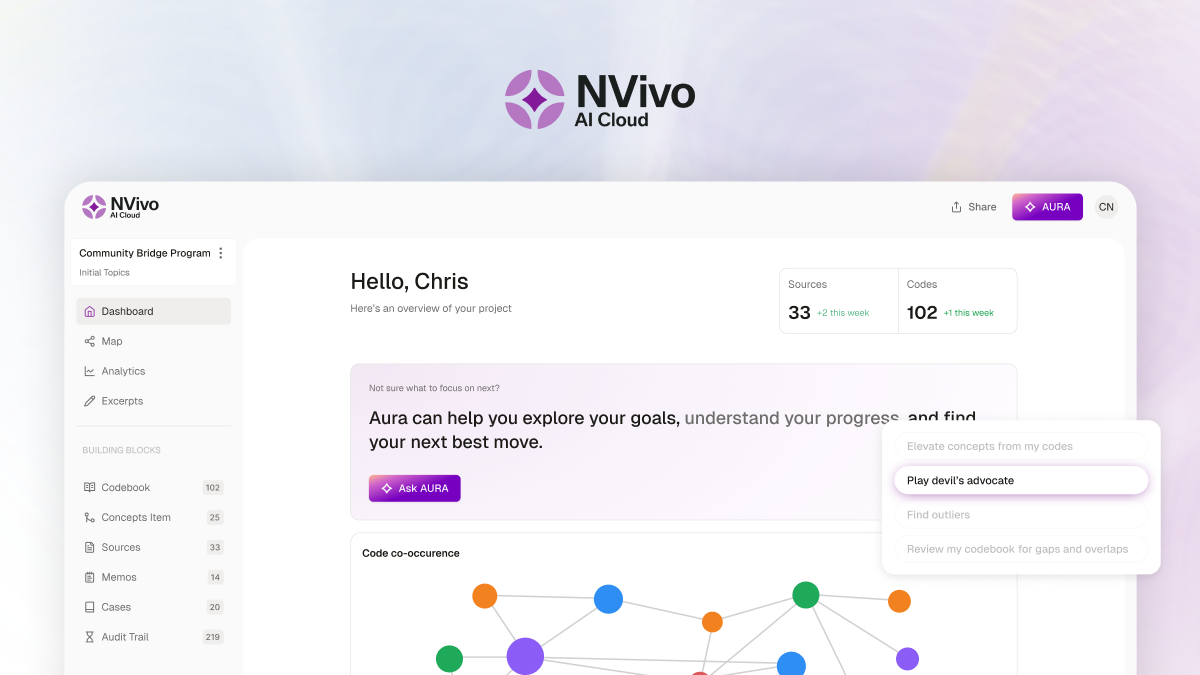
NVivo AI Cloud is Lumivero's new AI-native, cloud-based research environment, built on the same methodological rigor researchers trust from NVivo Desktop—the most-cited qualitative and mixed-methods analysis platform according to Scopus data. AURA, its AI research assistant, supports you from the first step of a project, suggesting research questions and surfacing relevant literature, then identifies topics across your corpus with the supporting evidence at. tached, auto-codes against topics you confirm. You can still create and apply your own codes alongside AURA's suggestions, at whatever level of detail your project needs, and you can chat with your project to question your data, with every answer linked back to its source. NVivo AI Cloud keeps a full, exportable audit trail of every AI and human decision.
NVivo AI Cloud is web-based and handles interviews, focus groups, and documents today, including audio and video you transcribe directly in the platform. Projects can be shared with team members. For a closer look at the researcher experience behind these capabilities, read the NVivo AI Cloud beta feedback from qualitative researchers who tested the platform.
NVivo Desktop remains the established installed application, with named query tools and on-premise server deployment for institutions with strict data governance needs. Either is best for rigorous thematic analysis, grounded theory, and mixed-methods projects that need to hold up to committee or peer review—most researchers find the learning curve worthwhile once datasets get large enough that coding transparency and audit trails matter. Both NVivo AI Cloud and NVivo Desktop are paid software with NVivo Desktop offering a 14-day free trial.
ATLAS.ti
ATLAS.ti is an intuitive, AI-enhanced qualitative analysis platform built for flexible, exploratory analysis. It handles text, audio, video, and image data with equal ease, letting you code and explore multimedia sources without rigid upfront structure.
What sets ATLAS.ti apart is its conversational AI: instead of selecting pre-defined AI tasks, you ask questions about your data and get AI-assisted coding suggestions, document summaries, and insights through natural dialogue. Network visualization is a core strength—you can map connections between codes, documents, and ideas visually, surfacing relationships and patterns that emerge as your analysis evolves. This visual, iterative approach works well for exploratory research where you're discovering themes rather than validating a predetermined framework.
ATLAS.ti is best for multimedia-heavy research and exploratory workflows where you want to begin analysis quickly with minimal upfront setup. Built-in web-based collaboration makes it accessible for smaller research teams working in real time. Like NVivo, it's a paid software and offers a free trial.
Citavi
Citavi is an all-in-one reference management and knowledge-organization tool that helps researchers find, cite, and summarize literature from a project's first idea through its final draft. Its AI-assisted features support literature screening and task planning, combining reference management, knowledge organization, and writing preparation inside a single workflow rather than three disconnected tools.
For a more intuitive approach to literature discovery, Citavi includes AI Paper Search. Instead of composing precise keyword searches, you can describe your research topic in plain language and receive a ranked shortlist of relevant papers—automatically filtered against your existing Citavi project and accompanied by AI-generated explanations of why each paper was selected.
Citavi is best for managing sources continuously, from the initial search through manuscript writing, rather than treating reference management as an afterthought at submission time. It's paid software with a 30-day free trial.
If your findings must be defensible in a viva, a peer review, or a grant audit, you need the coding transparency a general chatbot can't give you. If you just need a quick read on a handful of sources for a low-stakes summary, a general AI assistant is probably enough—the mismatch only becomes a real problem when the stakes of the analysis outgrow the tool doing it.
What are the best free AI tools for academic research?
The strongest fully free AI tools for academic research are Semantic Scholar (200 million-plus papers, no account required), the free tier of ResearchRabbit (citation mapping up to 50 seed articles), Connected Papers (free visual graphs, capped at five per month), and Google Scholar. Elicit and Consensus both offer usable free tiers for occasional evidence-based questions, and the free versions of ChatGPT, Claude, and Gemini Notebook cover most early-stage drafting and summarization needs—as long as their output is independently verified before it goes anywhere near a citation list.
- Semantic Scholar—completely free, no account needed, 200M+ papers across every discipline.
- ResearchRabbit—free tier with unlimited search and up to 50 seed articles per project.
- Connected Papers—free visual similarity graphs, capped at five per month.
- Google Scholar—free with no limits, and among the broadest scholarly discovery tools covered in this guide.
- Elicit and Consensus—usable free tiers for occasional evidence-based research questions.
For students and independent researchers without an institutional subscription budget, this shortlist alone covers discovery, mapping, and a reasonable amount of evidence-checking without spending anything.
How do you choose the right AI tool for your research?
Start with the job, not the tool. Most research projects move through a fairly consistent sequence—discover, map, understand, analyze, and write—and a different tool tends to win at each stage rather than one tool winning at all of them. The table below maps common research stages to the tools best suited to each.
| Research stage | Job | Recommended tools |
|---|---|---|
| Finding papers | Literature discovery | Citavi, Elicit, Consensus, Semantic Scholar, Google Scholar |
| Mapping the field | Literature mapping | ResearchRabbit, Connected Papers, Litmaps |
| Understanding papers | Paper comprehension | Citavi, SciSpace, Gemini Notebook, Claude |
| Verifying evidence | Citation analysis | Scite, Consensus, Web of Science Research Assistant |
| Qualitative/mixed-methods analysis | Coding and analysis | NVivo AI Cloud, NVivo Desktop, ATLAS.ti |
| Reference management | Organizing sources | Citavi, Zotero |
| Writing and editing | Drafting and polish | Paperpal, Jenni AI, Writefull |
A concrete example makes this easier to picture. A typical workflow for a literature-heavy qualitative dissertation might look like this: discover relevant papers with Elicit or Semantic Scholar, map the surrounding field with ResearchRabbit to catch what the keyword search missed, understand a handful of especially dense papers with SciSpace or Claude, verify that a key claim still holds up in more recent literature with Scite or Consensus, manage your references with Citavi, run the actual qualitative coding and analysis in NVivo AI Cloud, NVivo Desktop, or ATLAS.ti so the findings are audit-ready, and draft the manuscript with editing support from Paperpal or Jenni AI in the final stretch.
Bring more rigor to your next qualitative or mixed-methods project
General AI tools can meaningfully accelerate discovery and drafting, but when an analysis has to hold up to peer review, a dissertation committee, or a grant panel, it needs software built for coding transparency and reproducibility from the ground up—not a chat transcript after the fact.
Get the tools you need to organize, analyze, and write with confidence—explore Lumivero's research solutions to find the right fit for your research workflow or buy AI Cloud, NVivo Desktop, ATLAS.ti, or Citavi today to get started.

Roehl Sybing, PhD
Research Associate, University of North Dakota
Roehl Sybing is a Research Associate in the College of Education and Human Development at the University of North Dakota and a content writer for Lumivero. His research interests include qualitative research methodology and dialogic interaction across languages and cultures. He has written extensively on qualitative research methods in scholarly and commercial publications, including several articles for ATLAS.ti's Research Hub.
Frequently asked questions
It depends on the job. For literature discovery, Elicit and Consensus lead because they link directly to the scholarly papers behind their answers, rather than generating ungrounded text—though the source still needs a manual check for quality and relevance. For paper understanding, SciSpace and Claude—now running a 1-million-token context window—can handle long PDFs and multi-paper bundles in one pass. For academic writing, Paperpal and Jenni AI are purpose-built. For rigorous qualitative analysis, NVivo AI Cloud, NVivo Desktop, and ATLAS.ti are widely used, established options for transparent coding and audit trails. Most researchers combine three to five tools rather than relying on a single one.
There's no single best AI for research—the right tool depends on the stage of the project. Use Elicit or Semantic Scholar to discover papers, Consensus or Scite to evaluate the strength of evidence, SciSpace or Gemini Notebook to understand papers once you have them, Paperpal or Jenni AI to write, and NVivo AI Cloud, NVivo Desktop, or ATLAS.ti for qualitative analysis. See "How do you choose the right AI tool for your research?" above for a full stage-by-stage breakdown.
Semantic Scholar (200M+ papers, no account required), the free tier of ResearchRabbit (citation mapping up to 50 seed articles), Connected Papers (free visual graphs, capped at five per month), and Google Scholar are the strongest fully free options available in 2026. Elicit and Consensus offer usable free tiers for occasional use, and the free versions of ChatGPT and Claude cover most early drafting and summarization needs.
NVivo AI Cloud, NVivo Desktop, and ATLAS.ti are among the most widely used AI-enabled tools for qualitative research because they support the rigor that academic work actually requires: transparent coding, query and search across coded data, memoing, and audit trails that hold up through mixed-methods integration. General assistants like ChatGPT can summarize a transcript reasonably well, but they lack the coding structure and reproducibility that thematic analysis and grounded theory specifically demand.
Claude has an advantage for long documents as select models offer up to a 1-million-token context window (expanded from 200,000 in March 2026, with availability depending on the specific model and plan), enough to ingest whole papers or multi-paper bundles in a single prompt. ChatGPT's Deep Research mode is better suited to autonomous investigation across many web sources at once. For citation-grounded answers drawn strictly from peer-reviewed literature, both are weaker than research-specific tools like Elicit, Consensus, or Scite, and neither should be treated as a citation source on its own.
Deep Research mode is a feature where an AI autonomously plans a research question, searches multiple sources, evaluates them, and returns a cited report rather than a single quick answer. ChatGPT, Gemini, Perplexity, and Claude all offer some version of it, and each is suited to a different job rather than one clearly outperforming the others across the board. ChatGPT's tends to produce the most thorough report for broad, general-purpose background research; Perplexity is built for speed, returning inline citations quickly, though its Deep Research allowance has tightened to roughly 20 runs a month on its Pro tier; Elicit's version is the better fit specifically for academic rigor, since it draws exclusively from peer-reviewed literature rather than the open web.
Often yes, but it depends. Institutional and program policies on AI use vary—by university, advisor, funder, journal, and any IRB protocol governing your data—so check your program's specific policy before relying on AI for discovery, summarization, or editing, and verify every source regardless. For analysis that has to be defensible in a viva or committee review, use tools that produce an auditable trail—such as NVivo AI Cloud, NVivo Desktop, or ATLAS.ti—rather than leaning on a general chatbot for the analysis itself.
Not by default. General AI assistants—ChatGPT, Claude, Gemini—can fabricate plausible-looking but entirely nonexistent citations or misattribute a real finding to the wrong paper. Always verify against the original source before citing anything an AI assistant produces. Research-purpose tools like Elicit, Consensus, Scite, and Semantic Scholar are specifically built to return real, checkable references, so lean on them whenever citation accuracy is what actually matters.
If you're a PhD student or early-career researcher navigating your institution's AI-use policy or simply feeling overwhelmed by how many of these tools now exist, it's worth a short conversation with your advisor or research librarian about what's specifically approved in your program.


How can we help you? Contact us.