









Key takeaways
Choosing the right research software comes down to seven criteria—methodological fit, data type support, collaboration, AI capabilities, security and compliance, audit trail, and total cost—evaluated through a structured process of requirements definition, pilot testing, and vendor vetting, so your team selects a platform that supports rigorous, defensible research from data collection through publication.
What is qualitative research software and why does choosing the right tool matter?
Research software is any application used to collect, manage, analyze, or report on research data. The category spans a wide range of tools—from general-purpose statistical packages and survey platforms to discipline-specific qualitative data analysis (QDA) and mixed-methods environments. Choosing the right platform is one of the most consequential decisions a research team makes, because the tool shapes every stage of the workflow, from organizing and analyzing data to collaboration and publication of meaningful insights.
Research software for institutions spans qualitative data analysis platforms, statistical packages, reference management tools, and survey platforms. The right category and product depend on your research methodology, data types, team size, and compliance requirements.
Why the wrong qualitative research software choice costs more than you think
Selecting the wrong platform creates costs that extend well beyond the license fee. Wasted licensing spend is the most visible problem, but the hidden expenses of choosing the wrong research software are often larger:
- Sunk training costs when a team invests weeks on a steep learning curve for a tool that can’t support their methodology
- Workflow disruption when a mid-project tool switch forces data migration
- Data portability problems when proprietary formats lock research outputs into a single vendor ecosystem.
For institutional buyers, multiplying these costs across departments makes the stakes even higher.
Who this guide is for: Researchers, IT buyers, and institutional procurement teams
This guide is written for three distinct audiences:
- Individual researchers evaluating qualitative analysis tools for specific research projects will find a structured framework for comparing platforms against their methodology and data types.
- Team leads choosing a shared platform for a multi-researcher project will find guidance on collaboration, licensing, and workflow fit.
- Institutional IT and procurement staff making campus-wide or departmental license decisions will find coverage of compliance, total cost of ownership, and integration requirements.
Each section is designed so you can read what’s relevant to your role and skip what isn’t.
The 7 criteria for choosing qualitative research software
The following seven criteria provide a structured framework for evaluating any research software platform. Each criterion opens with a definition, followed by what to look for, questions to ask vendors, and red flags to watch for.
In summary, the 7 criteria for choosing qualitative research software are:
- Methodological fit
- Data type support
- Collaboration and team access
- AI and automation capabilities
- Data security, privacy, and compliance
- Audit trail and reproducibility
- Licensing model and total cost
1. Methodological fit: Does the software support your qualitative research approach?
Methodological fit refers to how well a software platform supports the specific research methods your project requires. Tools built primarily for quantitative analysis often constrain qualitative workflows, and vice versa. Before evaluating any product, verify that it supports your specific approach—whether that’s thematic analysis, grounded theory, framework analysis, or a mixed methods analysis that combines several of these.
NVivo, for example, is purpose-built for qualitative and mixed-methods projects, supporting thematic analysis, grounded theory, framework analysis, and more.
Ask vendors whether their platform was designed around your methodology or adapted from a different paradigm after the fact.
2. Data type support: What formats and sources does the software handle?
Data type support refers to the range of file formats and data sources a platform can import, manage, and analyze natively. Modern research teams frequently work with multi-modal datasets that combine multiple data sources such as interview transcripts, audio and video recordings, images, survey exports, social media data, PDFs, and spreadsheets. Software that handles all of these without requiring manual format conversion saves significant time and reduces the risk of data loss during translation.
When evaluating a platform, ask which formats are supported natively and which require workarounds.
3. Collaboration and team access: Can multiple researchers work in the same project?
Collaboration features in qualitative research software can help eliminate challenges such as file syncing and asynchronous communication to discuss coding decisions, thereby streamlining the research process.
Key features to evaluate:
- Multi-user licensing and concurrent-user models
- Real-time versus asynchronous collaboration modes
- Cloud-based interface and/or on-premise options that support collaborative coding and memoing
- Project-level permissions that control who can edit versus view
- Cross-institutional access for multi-site studies
Ask vendors if they support collaboration and how.
4. AI and automation capabilities: What does the software actually do with AI?
AI capability refers to how a platform uses artificial intelligence to assist—not replace—the research process. Useful AI features in qualitative research include auto-coding suggestions, transcript summarization, theme identification, and framework matrix generation. The critical distinction is between general-purpose AI bolted onto a research tool and purpose-built AI designed specifically for research workflows.
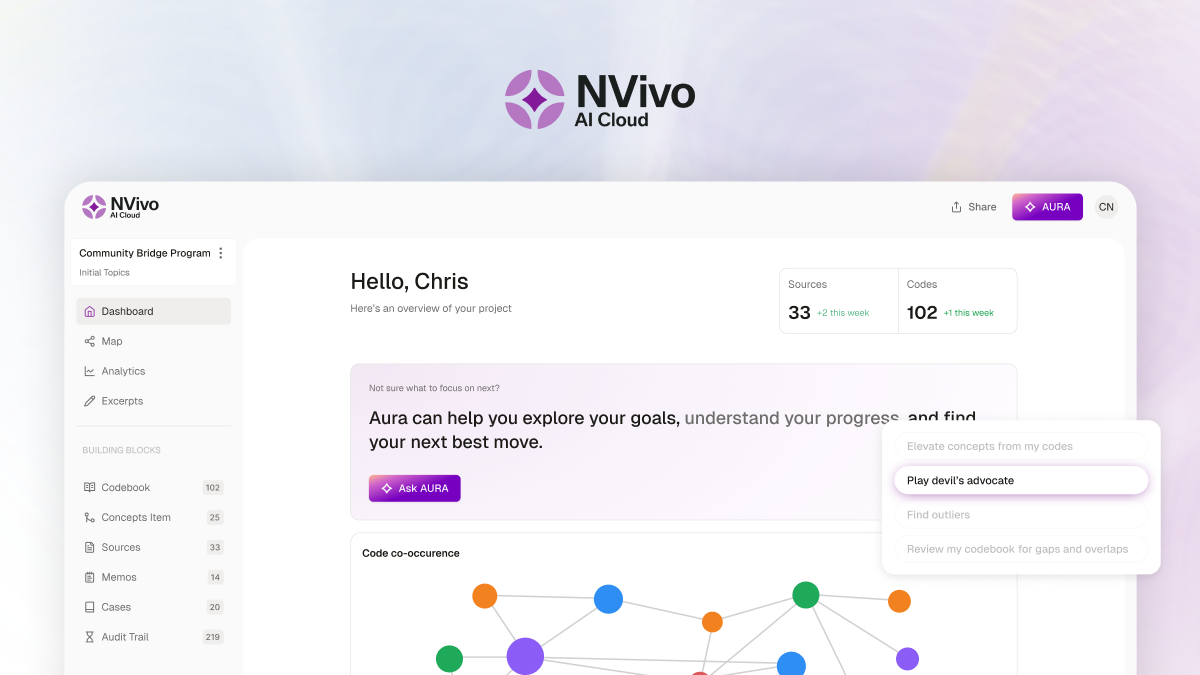
The NVivo AI Assistant, for instance, is designed to work within the qualitative analysis process rather than as a generic chatbot. For a deeper look at how AI integrates into qualitative workflows, see AI in thematic analysis.
5. Data security, privacy, and compliance: Is your data protected?
Data security refers to the technical and policy measures a platform uses to protect research data from unauthorized access, loss, or misuse. For research involving human participants, compliance requirements are non-negotiable. Institutional review boards (IRBs), ethics committees, and funding agencies increasingly require documented data handling policies that address GDPR, HIPAA (for health research), and data residency requirements.
Cloud-based tools that accomplish tasks like automatic coding and summaries that route sensitive interview data through third-party AI services create compliance risk that may not be immediately visible.
NVivo complies with data security regulations across geographies including GDPR, HIPAA, CCPA, FERPA, and APAC. Learn more in Lumivero’s privacy center.
6. Audit trail and reproducibility: Can you prove how your findings were reached?
Audit trail refers to a systematic record of every analytical decision made during the research process, from initial coding through final theme development. Peer-reviewed journals increasingly require transparency about how findings were reached, and many now have specific disclosure policies for AI-assisted research.
When evaluating audit trail capabilities in research software, look for:
- Audit logs that track every coding decision
- Interrater reliability tools that document agreement between researchers
- Version histories that show how analysis evolved over time
NVivo maintains a full audit trail throughout the analysis process, making it a strong choice for researchers whose work must withstand peer review scrutiny.
7. Licensing model and total cost: Understanding per-seat, institutional, and subscription pricing
Licensing model refers to how a vendor structures pricing, access, and renewal terms. Common models include:
- Per-seat subscriptions — one license per named user
- Site licenses — institution-wide access for all users
- Concurrent-user licenses — a set number of simultaneous logins shared across a larger pool of users
The sticker price rarely tells the full story. Hidden costs often include:
- Training and onboarding
- Data migration from a previous tool
- Premium support tiers
- Cloud storage limits
Institutional buyers should assess total cost of ownership (TCO) across the expected license period—not just the annual subscription fee.
Free and open-source tools can work well for exploratory or small-scale research, but they typically lack the compliance documentation, audit trail, collaboration features, and vendor support that institutional research demands.
Qualitative research software by type: Which category fits your work?
Research software falls into several distinct categories, each optimized for different methodologies and data types. Understanding which category matches your work is the first step toward choosing the right platform.
Qualitative data analysis (QDA) software
QDA software is designed for coding, organizing, and interpreting unstructured data such as interview transcripts, field notes, and media files. It supports qualitative analysis methodologies including thematic analysis, grounded theory, framework analysis, and narrative inquiry. Primary users include social scientists, health researchers, education researchers, and UX researchers.
NVivo is the leading qualitative data analysis software in this category, offering purpose-built tools for coding, visualization, and AI-assisted analysis alongside robust collaboration and audit trail features. Lumivero also offers ATLAS.ti, an intuitive, AI-enhanced qualitative analysis platform that supports coding, memoing, and interactive network visualizations across text, audio, video, and images.
The Essential Guide to Qualitative Coding
Want to learn more about coding qualitative data in research? Get the practical handbook for building clarity and meaning from qualitative data.
Download the guide →Statistical analysis software
Statistical analysis software is built for quantitative research, handling numerical datasets and supporting techniques such as regression, factor analysis, and hypothesis testing. Common tools in this category include XLSTAT, SPSS, R, Stata, and SAS. Mixed-methods researchers may use a statistical platform alongside a QDA tool like NVivo to bring qualitative depth and quantitative rigor together.
XLSTAT is Lumivero's statistical analysis solution, built directly into Microsoft Excel. With 300+ methods spanning basic statistics to advanced modeling, XLSTAT lets researchers run sophisticated quantitative analysis in a familiar environment—without switching tools.
Systematic review and evidence synthesis software
Systematic review software supports literature screening, data extraction, and meta-analysis for evidence synthesis projects. These tools are used by clinical researchers, health policy teams, and systematic reviewers who need to follow structured protocols for identifying, evaluating, and synthesizing published research.
Survey and data collection platforms
Survey data collection platforms are designed for gathering data, not analyzing it. Tools like SurveyToGo, Qualtrics, SurveyMonkey, and REDCap handle questionnaire design, distribution, and response management. Researchers often need both a collection tool and a separate analysis platform—such as NVivo—to import and analyze survey exports alongside other qualitative data.
Reference management and knowledge organization software
Reference management software helps researchers find, organize, annotate, and cite sources throughout the research lifecycle—from early literature discovery through final manuscript submission. These tools are used by academic researchers, graduate students, and institutional research teams who need to manage large volumes of literature, maintain citation accuracy, and build structured knowledge bases around their research questions.
Citavi is Lumivero's all-in-one reference management and knowledge organization tool. Unlike standalone citation managers, Citavi combines reference management with task planning and knowledge organization in a single workspace — helping researchers move from first source to final draft without switching tools.
Qualitative research software comparison: Key features at a glance
The following table summarizes how major software categories compare across the features that matter most to research teams and institutional buye
| Category | Primary Use Case | AI Capabilities | Collaboration | Audit Trail | Lumivero Solution |
| Qualitative Analysis | Organizing qualitative data, coding, querying, thematic analysis, grounded theory | AI-assisted coding | Multi-user project access | Full audit trail | NVivo, ATLAS.ti |
| Statistical Analysis | Regression, hypothesis testing, modeling | Data summarization, next-step recommendations, complex results explanations | Limited in most tools | Script-based reproducibility | XLSTAT |
| Mixed Methods | Combined qualitative and quantitative analysis | AI-assisted coding, data summarization, results explanations | Multi-user project access | Full audit trail | NVivo, ATLAS.ti, XLSTAT, SurveyToGo |
| Reference Management | Literature organization, citation management, knowledge synthesis | AI-assisted summarization | Shared reference libraries | Version tracking | Citavi |
How to evaluate qualitative research software: A step-by-step process for teams
The following process gives research teams a repeatable method for evaluating and selecting software. Each step is designed to be completed before moving to the next.
Step 1: Define your research software requirements before evaluating any tools
The single most common mistake in research software procurement is beginning with a product demo rather than a requirements definition. Gather your team and answer the following questions to create a requirements brief that will guide every subsequent evaluation:
- What data types will I analyze? (text, multimedia data, numerical)
- How many researchers need access simultaneously?
- What methodology does my research use?
- What are my ethics board’s data handling requirements?
- Do I need to publish findings in peer-reviewed journals?
- What is my budget—per seat or institution-wide?
Having written answers to these questions transforms the evaluation from a subjective preference exercise into a structured process for comparing platforms.
Step 2: Evaluate the resources and support available
The depth of learning resources and ongoing support available for a platform is often an underestimated factor in software selection—but it's critical for long-term adoption and research quality. A tool your team never fully learns is a tool that won't deliver its full value.
Before committing, assess what's available to help your researchers get up to speed and stay current:
- Webinars and live training: Can your team learn from domain experts, not just tech support? Look for platforms that offer a range of trainings, from methodology-focused sessions to software walkthroughs.
- On-demand content: Are there eBooks, guides, and recorded sessions your team can access at any time, at their own pace?
- Certification programs: Does the vendor offer structured training paths that build researcher confidence and credibility?
- Community and peer learning: Is there an active user community where researchers share methods, templates, and best practices?
Lumivero's research tools—NVivo, ATLAS.ti, XLSTAT, Citavi, and SurveyToGo—are backed by one of the most extensive learning ecosystems in the industry. Researchers at every level can access:
- Free webinars led by expert trainers and researchers covering qualitative coding in NVivo and ATLAS.ti, statistical methods in XLSTAT, and literature management workflows in Citavi
- eBooks and practical guides that walk through real research scenarios, from mixed-methods design to qualitative coding
- Structured online training and certification so your team can build verified skills that hold up to peer and IRB scrutiny
- A global community of researchers sharing templates, methodological insights, and use cases across disciplines
This means your investment in Lumivero software comes with a built-in path to proficiency — not a learning curve your team has to climb alone.
Step 3: Ask qualitative research software vendors these questions before you commit
Put the following questions to every vendor on your shortlist before making a purchasing decision:
- Where is research data stored, and in which jurisdictions?
- What security certifications does your platform hold (SOC 2, ISO 27001)?
- How does the AI feature handle participant data, and can researchers opt out?
- What training and onboarding resources are included with the license?
- What are the multi-user licensing terms, and is there a concurrent-user option?
- In what formats can data be exported if we decide to switch platforms?
- What does the product roadmap look like for the next 12 to 18 months?
- What is the support Service Level Agreement, and is priority support available?
View NVivo's answers to these questions here >
Step 4: Have institutional procurement teams evaluate qualitative research software licenses
Institutional buyers face a different set of considerations than individual researchers. Engage your procurement and IT teams early. Key evaluation areas include:
- Site license versus departmental license structures
- Concurrent-user models that maximize utilization across campus
- Integration with institutional single sign-on (SSO) and IT infrastructure
- Compliance documentation sufficient for ethics board and legal review
- Renewal terms that protect the institution from unexpected cost increases
Procurement teams should also verify that the vendor’s data handling practices meet the institution’s obligations under GDPR, HIPAA, or other applicable regulations.
Evaluate NVivo and ATLAS.ti for your research team
NVivo and ATLAS.ti are purpose-built qualitative data analysis platforms with AI-assisted coding, multi-user collaboration, and full audit trail capabilities designed for academic publication. Both support a wide range of qualitative and mixed-methods research workflows.
To determine which platform best fits your team’s methodology, data types, and institutional requirements, apply the seven evaluation criteria and step-by-step process outlined in this guide. Explore Lumivero’s research solutions to see how they support your qualitative research workflow, or buy now to get started.

Roehl Sybing, PhD
Research Associate, University of North Dakota
Roehl Sybing is a Research Associate in the College of Education and Human Development at the University of North Dakota and a content writer for Lumivero. His research interests include qualitative research methodology and dialogic interaction across languages and cultures. He has written extensively on qualitative research methods in scholarly and commercial publications, including several articles for ATLAS.ti's Research Hub.
Frequently asked questions
Qualitative research software is any application used to collect, manage, analyze, or report on non-numerical data. It includes qualitative data analysis tools like NVivo and ATLAS.ti, supports statistical tools for quant analysis via exporting/file types or includes mixed method tools within the software itself, survey tools, and reference management software. The right category depends on your research methodology and data type.
NVivo is the most widely used and well-respected qualitative data analysis software, supporting thematic analysis, grounded theory, framework analysis, and mixed-methods research. It’s purpose-built for academic rigor, with AI-assisted coding, multi-user collaboration, and a full audit trail required for peer-reviewed publication.
Choose based on your research methodology. If your data is primarily text, audio, video, or observational and your analysis is interpretive, qualitative software like NVivo is the right fit. If your data is numerical and your analysis is statistical, tools like XLSTAT, SPSS, R, or Stata are more appropriate. Mixed-methods researchers often use both.
Free tools can work for exploratory or small-scale research, but they typically lack the compliance documentation, audit trail, multi-user collaboration, and AI capabilities required for institutional work. Paid platforms like NVivo are built to meet the standards required for ethics board approval and peer-reviewed publication.
Tools that store data within a controlled, auditable environment are generally safer for sensitive participant data. Cloud tools that process data through external AI systems without researcher control may not meet ethics board requirements. NVivo stores data within the researcher’s own project file and does not send participant data to external platforms without researcher action.
Key questions include:
- Where is data stored and who has access?
- What compliance certifications does the vendor hold?
- How does the AI handle participant data?
- What licensing model supports concurrent users or site-wide access?
- What training and support is included?
- Can data be exported in standard formats if you switch tools?
Research software pricing varies widely by tool type, licensing model, and institutional tier. Many QDAS tools are licensed per user, while some tools like ATLAS.ti also offer pricing based on the number of concurrent users.
NVivo stores research data locally within the researcher's own project file on their device or institutional server. Data is not automatically sent to external servers. For teams using NVivo Collaboration Cloud, data is stored in a secure cloud environment—contact Lumivero for jurisdiction-specific details.
NVivo's AI features are designed to work within the researcher's project environment. NVivo does not send participant data to external platforms without researcher action, meaning researchers retain full control over whether and how AI features are applied to their data.
NVivo licenses include access to documentation, tutorials, and the Lumivero community. Additional training options, including certification programs led by NVivo-certified trainers, are available. Institutional buyers can discuss onboarding support packages with Lumivero directly.
NVivo offers individual and institutional licensing options. NVivo Collaboration Cloud and Collaboration Server (on-premise solution) supports multi-user project access, allowing research teams to work in shared projects. Contact Lumivero for concurrent-user and site license terms.
NVivo is backed by a global support team with resources designed to help researchers at every stage of their work. Support options include a comprehensive knowledge base, live and on-demand webinars, and the Lumivero community — an active forum where researchers, trainers, and product experts share guidance and best practices. Institutional buyers can contact Lumivero directly to discuss priority support options suited to their team's needs.
Lumivero continuously develops NVivo with a focus on AI-enhanced workflows, collaboration, and mixed-methods capabilities. Visit the Lumivero community or visit Lumivero’s newsroom for the latest product updates.