





Key takeaways
The ATLAS.ti MCP Server lets you connect the AI tool of your choice—Claude Desktop, LM Studio, or another institution-approved tool—directly to your ATLAS.ti project. Instead of pasting transcripts into a chat window, you can ask your AI to read your project structure, generate codes and definitions, apply coding, organize documents, and write findings back as memos, all without leaving your workflow. This guide walks through practical prompts organized by task—project setup, coding, data preparation, analysis, reporting, and creative exploration—so you can see where AI fits into your own research process.
The ATLAS.ti MCP Server connects the AI model you choose directly to your ATLAS.ti project—not just to pasted text—so it can see your documents, codes, and memos, and write its outputs straight back where they belong.
To show you what it actually looks like, let's walk through an example: an interview transcript with an interviewer and a respondent talking about their favorite coffee shop, connected through a locally hosted model in LM Studio. What follows are prompt examples—including that one—organized around the tasks researchers actually do, not the features they'd need to learn first.
Before diving in, two things are worth knowing:
- The MCP Server works with ATLAS.ti Windows or Mac paired with a compatible AI client, whether it’s Claude Desktop or LM Studio.
- You choose the AI model. Given the myriad variety of large language models available today, the choice is yours based on what fits your research and your data governance requirements.
Project setup and organization
Getting a new project off the ground—or picking one back up after a break—is often where the most friction lives. Before any coding happens, you need documents imported, organized, and structured in a way that matches your research questions.
This is also where the MCP Server offers a distinct advantage if you're new to ATLAS.ti or new to QDA software altogether. You don't need to learn every feature before you can start; you can describe what you're trying to do and let the AI help you build the initial structure.
AI prompts to try for a research project setup:
- "I'm starting a project on customer experience in independent coffee shops. Here are my interview transcripts. Import them, and suggest a logical way to group them."
- "Read through these documents and tell me what demographic or contextual information appears in each one."
- "Based on my research questions about social atmosphere and repeat visitation, suggest an initial set of document groups."
- "Explain the current structure of this project—documents, codes, and groups—in plain language."
In short, here's what the ATLAS.ti MCP Server connection enables:
- AI can read raw documents and propose an organizational structure before you've coded anything
- This lowers the barrier for first-time QDA users without requiring them to learn the software up front
- For existing projects, it also works as a fast way to reorient yourself after time away
Coding and exploration
Coding and exploration is one of the clearest illustration of what full project access—rather than a document upload—actually enables.
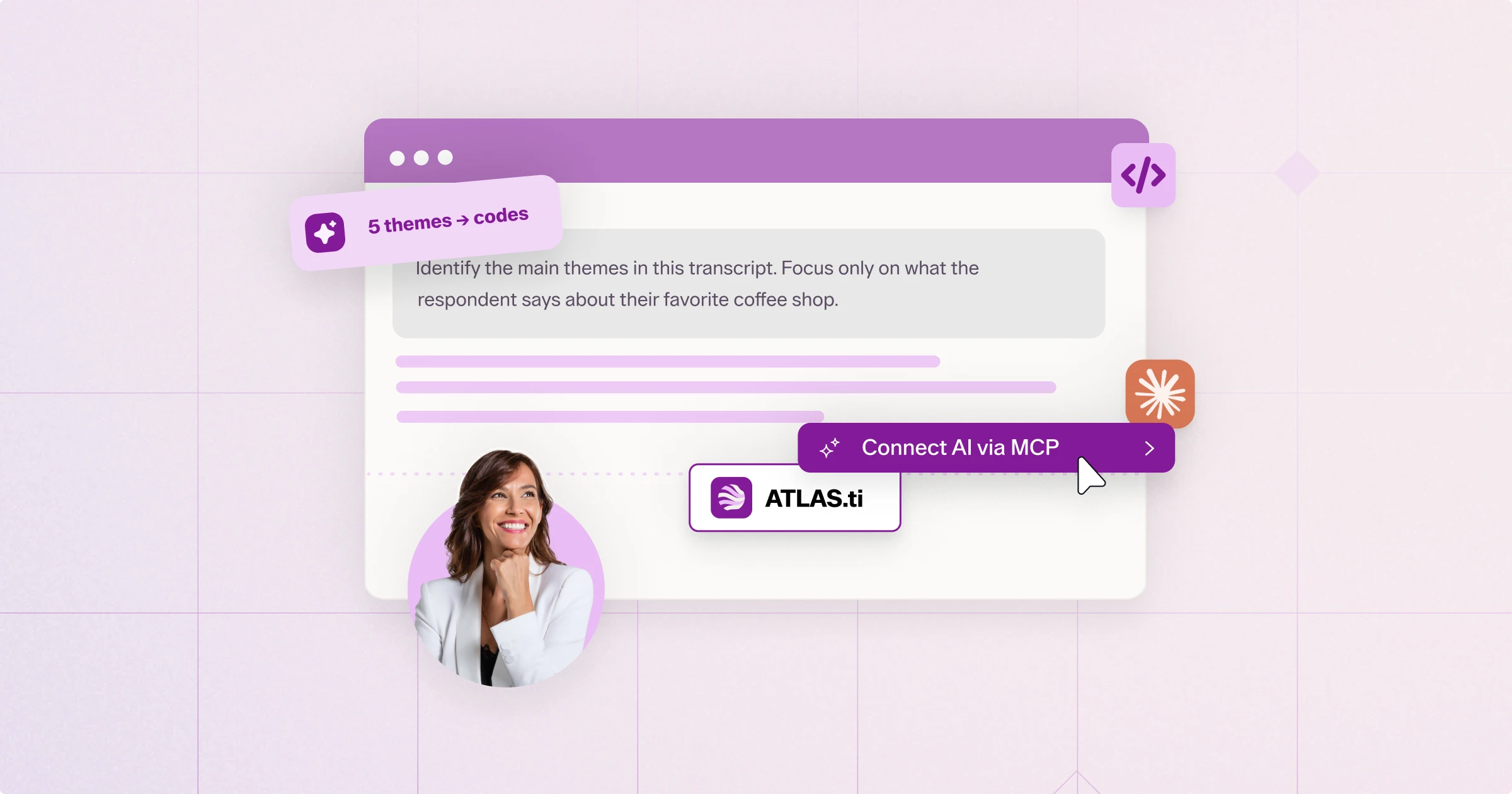
In this example, we'll start with a single interview transcript: an interviewer and a respondent discussing the respondent's favorite coffee shop. Working through a locally hosted model connected via the MCP Server, we asked the AI to identify the main themes present in the respondent's utterances. It came back with five distinct themes, including social atmosphere and emotional aspects of the space.
From there, we asked it to create those five themes as codes directly in the ATLAS.ti project, along with a comment for each one defining the theme based on how the AI had described it. Then we asked it to code the transcript against those five codes—with one important constraint: restrict quotations to the respondent's utterances only, and ignore the interviewer's questions when applying codes.
The AI handled all of it in sequence, in one conversation: propose themes, create the codes with definitions attached, then apply the coding according to the rule we gave it. Nothing was copied and pasted. The codes, their definitions, and the coded segments were all sitting in the project when we opened it back up.
AI prompts to try for coding and exploration in research (based on this same approach):
- "Identify the main themes in [document]. Focus only on what the respondent says, not the interviewer's questions."
- "Create a code for each theme you identified and add a comment to each one defining it based on your analysis."
- "Code the transcript for each of these themes. Only apply codes to the respondent's utterances."
- "Do these codes overlap with any existing codes in my codebook? Suggest merges if so."
In short, here's what the ATLAS.ti MCP Server connection enables:
- The AI can move from raw theme identification to fully defined, applied codes in one continuous conversation
- Instructions like "only code the respondent's utterances" are respected as coding rules, not just chat context
- Code definitions are captured as comments, not lost in a chat transcript
- This is an assistive first pass, not a replacement for researcher review—coding decisions should still be checked against your own judgment
Data preparation and project maintenance
Once a project has some history—more documents, more codes, more collaborators—the housekeeping starts to add up. Duplicate or near-duplicate codes creep in. Documents pile up without being sorted. This is routine work, but it's exactly the kind of task that eats time better spent on interpretation.
AI prompts for data preparation and project maintenance to try:
- "I have over 100 codes and some look very similar. Cluster them by meaning and propose merges, with a rationale for each."
- "Scan all documents for duplicate or near-duplicate content and flag them for my review—don't delete anything automatically."
- "These interview files have demographic details in the header. Read each one, extract that information, and create document groups by age bracket."
- "Find any codes with names longer than 40 characters and propose shorter, clearer versions."
In short, here's what the ATLAS.ti MCP Server connection enables:
- AI-assisted cleanup works best framed as "propose and flag," with the researcher making the final call
- Attribute extraction (demographics, metadata) from unstructured document headers can save significant manual sorting time
- None of this requires learning a new interface—it's described in plain language and applied directly to the project
Analysis and interpretation
This is where the ATLAS.ti MCP Server's access to full project structure—not just individual documents—matters most. Because the AI can see coding across your entire project, it can answer questions that would otherwise require manual cross-tabulation across dozens of files.
Continuing with our coffee shop example: once several interviews are coded for themes like social atmosphere and emotional aspects, a researcher could reasonably ask the AI to compare how those themes show up across different groups of respondents, or to synthesize patterns across the full set of coded transcripts—something that would take considerable manual effort working file by file.
AI prompts for analysis and interpretation to try:
- "Do first-time visitors and regular customers describe the social atmosphere differently across all coded interviews? Summarize the differences."
- "Which of my codes appear together most often, and what might that suggest?"
- "Compare these 15 student project submissions against my base project and summarize how their coding differs."
- "Are there any documents with little or no coding coverage? Flag them."
In short, here's what the ATLAS.ti MCP Server connection enables:
- Cross-document, cross-theme questions can be answered without manual cross-tabulation
- Findings can be scoped to specific groups (e.g., by demographic or document group) using structure already in the project
- This works for both single-researcher analysis and reviewing multiple contributors' coding (e.g., student submissions, team members)
Reporting and presentation of findings
Once the analysis is done, the AI can also help translate coded data into something shareable—without requiring you to manually export everything into a separate tool first.
AI prompts for reporting and presentation of findings to try:
- "Write a memo summarizing what the coded data shows about social atmosphere, linked to the supporting quotations."
- "Create a chart showing coding frequency by document group."
- "Generate a summary presentation of my key findings, based on the coded data in this project."
- "Save this comparison as a memo in the project, linked to the relevant documents."
In short, here's what the ATLAS.ti MCP Server connection enables:
- Findings written by the AI are saved back into the project as memos—not left behind in a chat window
- Memos can be linked directly to supporting quotations, keeping every insight traceable to its source
- Visual outputs (charts, summary decks) can be generated even where they fall outside ATLAS.ti's native reporting options
- Everything can still be reviewed, edited, or discarded before you save the project
Creative direction
Not every use of AI in a research workflow needs to be about speed. Used well, the AI connected through the MCP Server can also function as a thinking partner—someone to push back, ask questions you hadn't considered, or suggest a different angle on your data.
AI prompts for creative direction in research:
- "Based on the themes I've coded so far, what questions might I be missing in my interview guide?"
- "Play devil's advocate: what alternative explanation could account for the emotional-aspects theme I've coded here?"
- "Suggest a different way I could group these documents that I haven't considered."
- "What patterns in this project might be worth exploring further, based on what's coded so far?"
In short, here's what the ATLAS.ti MCP Server connection enables:
- AI can be prompted to challenge assumptions, not just summarize data
- This works best as a supplement to your own interpretation, not a substitute for it
- Prompts like these are especially useful mid-project, when a fresh perspective can surface gaps before they become blind spots
Start putting these prompts to work
The MCP Server is included with all active ATLAS.ti Desktop subscriptions—there's no separate add-on to purchase. If you're already an ATLAS.ti user, it's a matter of connecting a compatible AI client and trying a few of the prompts above on your own project. If you're new to ATLAS.ti, this is also a low-friction way to get a project up and running without needing to learn every feature first.
Ready to see what AI can do inside your own research project? Buy ATLAS.ti today.

Roehl Sybing, PhD
Research Associate, University of North Dakota
Roehl Sybing is a Research Associate in the College of Education and Human Development at the University of North Dakota and a content writer for Lumivero. His research interests include qualitative research methodology and dialogic interaction across languages and cultures. He has written extensively on qualitative research methods in scholarly and commercial publications, including several articles for ATLAS.ti's Research Hub.