






Blogs
Explore insights, tips, and industry trends

Case studies
See how organizations achieve real results

eBooks and reports
Access in-depth research and expert analysis

Research
Discover original research and data-driven insights

Webinars
Join live and on-demand sessions with experts

Whitepapers
Access research and expert analysis

Academy
Build skills with structured courses and training

Certified trainers
Get expert training from certified professionals

International partners
Connect with trusted partners around the world

Knowledge center
Find guides, tutorials, and product documentation




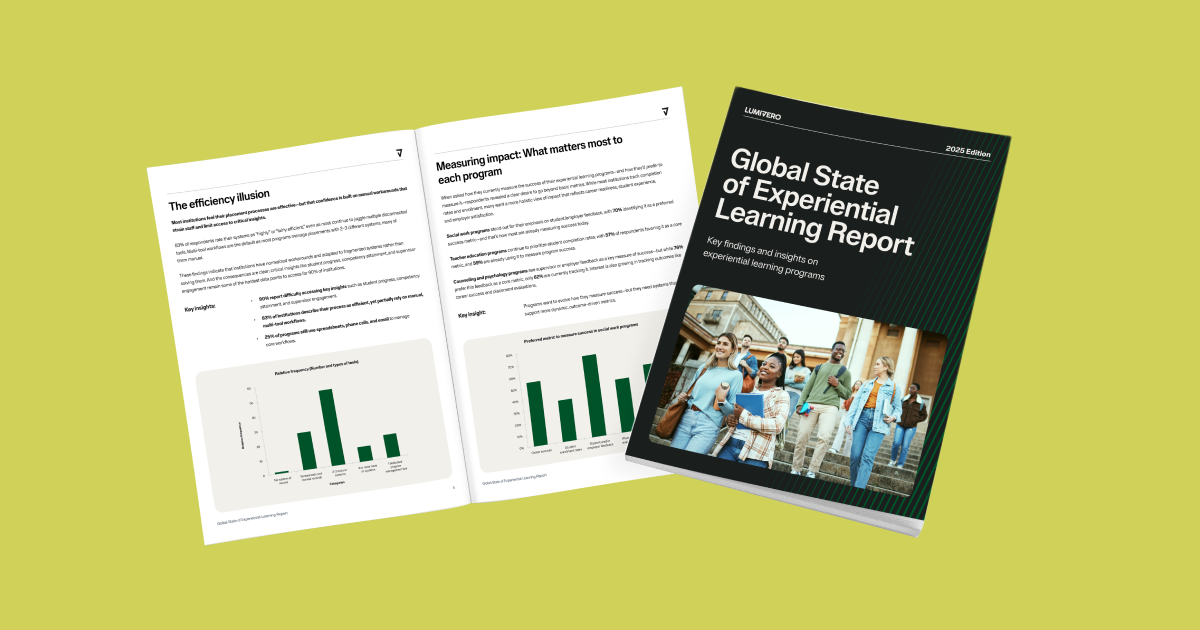
Meet NVivo 15.3: Smarter analysis, clearer insights, and more control

Key takeaways
NVivo's new release expands what researchers can do with qualitative and mixed-methods data by introducing AI-generated summaries for Framework Matrices, new statistical tools, and improved usability across both Mac and Windows. The release strengthens interoperability with Excel and XLSTAT while giving organizations more control over AI settings. Together, these updates help researchers work more efficiently, stay rigorous, and maintain full ownership of their analytical choices.
Research is becoming deeper, more complex, and more collaborative—with greater demands placed on teams at every stage. NVivo 15.3 is built for exactly that reality. This release introduces AI-supported capabilities and mixed-methods enhancements that help you move from raw data to insight with greater efficiency, without ever compromising your methodological rigor.
From AI-generated summaries in Framework Matrices and administrative controls to new statistical support for mixed methods and expanded Excel/XLSTAT connections, NVivo makes it easier to work the way today’s researchers actually work: across methods, across platforms, and with full transparency into every analytic choice. And with Framework Matrices now available on Mac, teams can collaborate more seamlessly than ever.
NVivo reflects Lumivero's continued commitment to giving researchers flexible, trustworthy tools—pairing the power of AI with the integrity of established research methods so you can work smarter, dig deeper, and stay fully in control of your analysis.
Discover the innovation in NVivo in the on-demand webinar with Silvana di Gregorio, Lumivero’s Product Research Director and Head of Qualitative Research, “Inside NVivo 15.3: Smarter Analysis, Sharper Insights, and Seamless Collaboration,” or continue reading to gain the highlights. For a workflow-focused overview of the latest NVivo workflow updates, see how AI-assisted analysis, sentiment analysis, and mixed-methods enhancements can improve day-to-day research.
What’s new in NVivo?
AI-supported summaries, stronger mixed-methods tools, and improved usability come together in NVivo to help you work more efficiently, uncover deeper insights, and stay fully in control of your analytical process.
AI summaries in Framework Matrices
AI-generated summaries can now be created directly within Framework Matrix cells on both Windows and Mac. This reduces the time spent preparing case-by-theme summaries and provides a consistent way to synthesize coded data. Summaries remain editable, and the original coding is always visible for verification.
Institutions that need to restrict AI use can disable it at the admin level, while still allowing researchers to work with Framework Matrices manually.
Framework Matrices now available on Mac
Framework Matrix—a feature long used by Windows researchers—is now available on the Mac version of NVivo. This closes the platform gap and gives Mac users access to a well-established tool for summarizing themes across cases.
Mac users can now create row-by-column matrices, generate AI summaries, if enabled, or write summaries manually while checking coded text in the side-by-side preview.
New descriptive statistics and box plots in Crosstab Query
Crosstab Query now includes descriptive statistics such as mean, median, quartiles, and standard deviation. A new Box Plot tab provides a clear way to view variation and distribution across groups. These additions give mixed-methods researchers more analytical flexibility inside NVivo and reduce the need to move data to another program before performing basic statistical comparisons.
Principal Component Analysis (PCA) biplot
NVivo adds PCA visualization to the Windows version. Principal component analysis is a data reduction strategy and is used usually with correlated continuous variables to identify a set of components or dimensions that summarize the dataset. It is particularly useful in content analysis where you are using codes to simply count words or phrases.
PCA helps condense large sets of variables into two components that explain the most variability in the data, revealing differences and similarities across participants. Researchers can examine how cases cluster together, how variables relate to each other, and how cases relate to variables.
Enhanced Excel export and XLSTAT integration
More parts of NVivo now allow export to Excel (.xlsx), and Mac users can export in this format as well. These exports can be opened directly in XLSTAT for additional statistical testing or visualization. This allows researchers to move from coding and thematic work to quantitative analysis without disrupting their workflow.
AI on/off switch for governance control
Administrators can now disable AI features across an entire organization. This supports teams working in settings with strict IRB requirements, ethical guidelines, or data-privacy limitations. Researchers can continue using all core QDA tools even when AI is disabled.
Return of the Collaboration Server
The Collaboration Server gives institutions a way to host real-time NVivo teamwork inside their own IT environment. This allows teams to collaborate on shared projects while keeping all data stored on internal servers, an important requirement for organizations with specific security policies. For teams who don't need an on-premise solution, we continue to offer NVivo Collaboration Cloud.
Visual and UX improvements
NVivo's new release introduces updates to the ribbon, coding stripes, and media analysis layout. A new “current coding” option shows only the codes relevant to the selected section of text, reducing visual clutter.
Audio and video controls have been reorganized to make transcription, coding, and review easier. These refinements streamline the interface across Windows and Mac.
Brand updates
With this release, NVivo introduces a refreshed icon and updated branding aligned with the Lumivero product family. The new design maintains NVivo’s recognizable look while improving cross-product consistency.
Get started with NVivo 15.3
Update your existing subscription or buy NVivo today to use the newest tools for AI-assisted summarization, mixed-methods analysis, and improved workflows. Existing subscribers can update at no additional cost.



How can we help you? Contact us.