Revolutionizing Text Data Analysis with AI
Empower Your Qualitative Research with Lumivero AI Assistant in NVivo

Identify themes, run advanced queries, and discover evidence-based insights faster with Lumivero AI Assistant – all with NVivo.
*(Scopus Database, 2010-2022)

Request a demo

How to Autocode in NVivo

With NVivo’s automated insights you can work through large sets of data more efficiently — helping you get quick results to see what is happening in your content. NVivo’s automatic coding qualitative data feature lets you focus less on the time-consuming process of coding and more on the analysis of the results.

The process involves selecting a set of files and using the autocoding feature to produce results. In a few simple steps, the NVivo autocoding makes it easy for you to gain an understanding of your data, making coding in research a breeze.

Learn how to use the power of NVivo’s machine learning auto-coding options: pattern-based coding, thematic coding, and sentiment analysis.

THEY TRUST US

Enhance Your Use of NVivo

The potential for insights from your qualitative research is unlimited. With add-on enhancement modules like NVivo Transcription and NVivo Collaboration Cloud that complement NVivo qualitative software, researchers can work smarter with their data and discover more significant insights sooner.
Learn more about NVIVO + AI

Why Choose NVivo?

There's a reason (many, actually) that NVivo is the most cited QDA software*. Researchers around the world trust NVivo to help them:

Uncover Deeper Insights: Discover hidden patterns and theming in research with the most comprehensive set of coding queries. NVivo lets you slice your data in countless ways to reveal deeper insights.

Collaborate in Real-Time: Seamlessly work with your team on Mac or Windows. NVivo ensures data integrity and smooth collaboration across platforms.

Generate Powerful Comparisons: Effortlessly create intricate comparisons across respondents, organizations – whatever your units of analysis. NVivo reveals differences and unexpected similarities in your data with ease.

Stay in Complete Control: The Lumivero AI Assistant offers suggestions, but you remain in control of what you accept or reject.

Keep All Your Data Your Own: Want to use AI but worried about data privacy? Lumivero has ensured that once the AI completes its task, the information is sent to your NVivo project and deleted from the servers — keeping your data completely safe.

Harness the Power of AI in NVivo

In our fast-paced digital world, we're drowning in a sea of text data every day. Handling unstructured data manually is a daunting task – it's time-consuming and prone to errors. But here's the good news: we've got a powerful ally in our corner – AI qualitative data analysis autocoding and Lumivero AI Assistant in NVivo!

Automatic Text Summarization

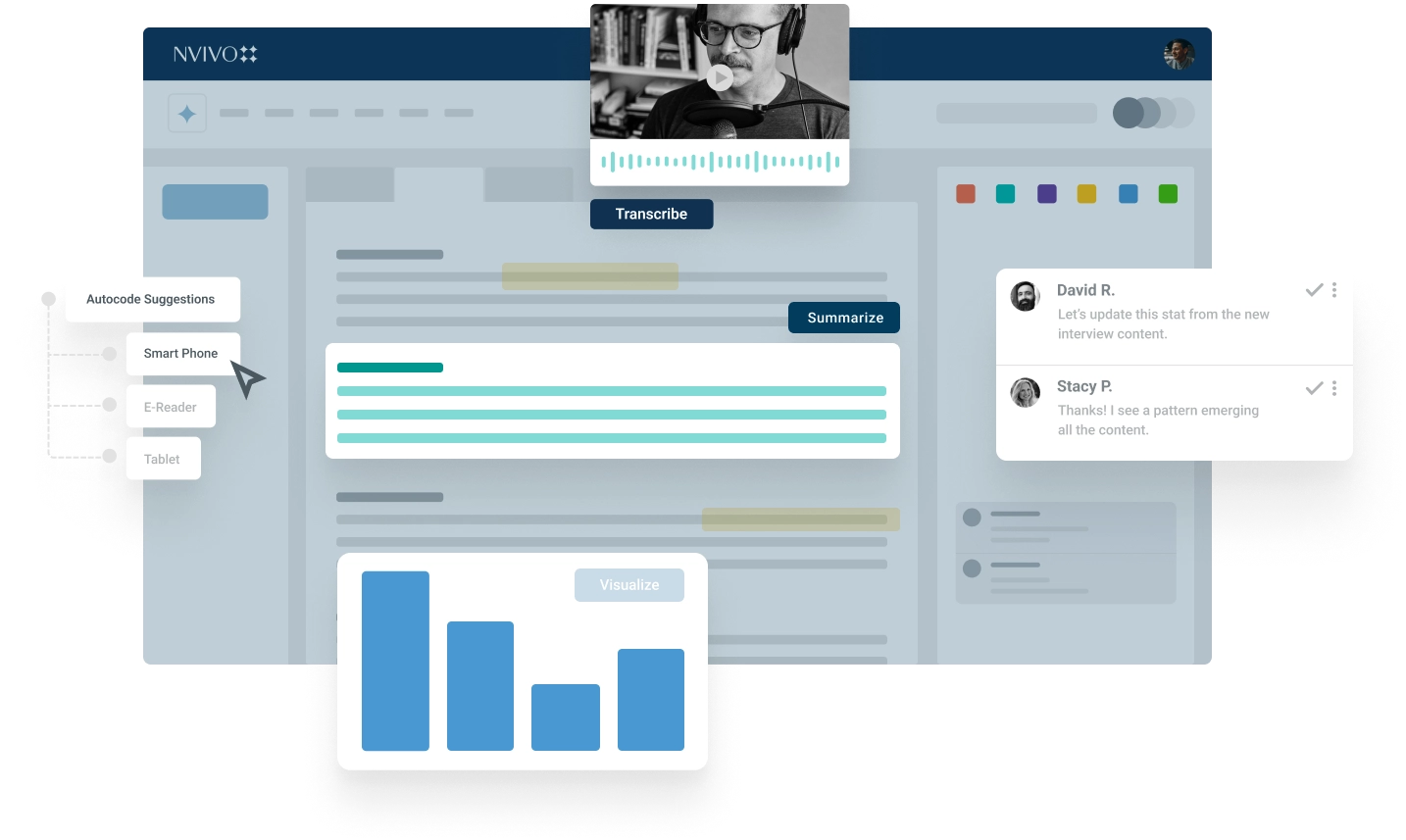
Leverage AI qualitative coding technology to explain unfamiliar terms or local idioms, saving you time from searching for answers. Quickly select the text and have NVivo summarize the selection which is then added to the document as an annotation.

Document Summarization

Seamlessly select any type of document or document(s) within NVivo and summarize each of them in seconds allowing you to get a sense of each document immediately.

Flexible Coding Suggestions

Easily tag, organize, and re-organize your data to bring structure to the unstructured. Plus, dig deeper into codes you already created by using AI tools for thematic analysis to suggest finer child codes.

Connect

NVivo software offers direct integration to data from Citavi – our all-in-one knowledge and reference management software, that helps you structure an outline for your paper and makes literature reviews effortless. Importing notes, memos, and data directly from Microsoft Excel and Word with the native NVivo - Integration module is easy.

Researchers can also leverage free integrations for apps like SurveyMonkey to centralize their research project, in addition to being able to work in either the macOS or Windows operating systems.

Transcribe

NVivo Transcription is seamlessly integrated with NVivo to remove the tedium of manual transcriptions. The transcription add-on allows researchers to skip the time-consuming transcription process with automated transcriptions that offer 90% accuracy from quality audio and video formats. A native editor helps you quickly make changes, tag speakers, and ensure proper formatting all while hearing the synchronized audio.

Collaborate

It’s never been easier to collaborate and analyze data with colleagues. Using NVivo software and NVivo Collaboration Cloud as your software for qualitative data analysis allows the same research project file to be used with Windows and Mac operating systems to facilitate file sharing. We’ve also reconceptualized NVivo Collaboration solutions so teams can securely work together in real-time to share data, code collaboratively, and review findings simultaneously. In addition, all Mac teams can now benefit from NVivo Collaboration Cloud.
magnifier
linkedin facebook pinterest youtube rss twitter instagram facebook-blank rss-blank linkedin-blank pinterest youtube twitter instagram